
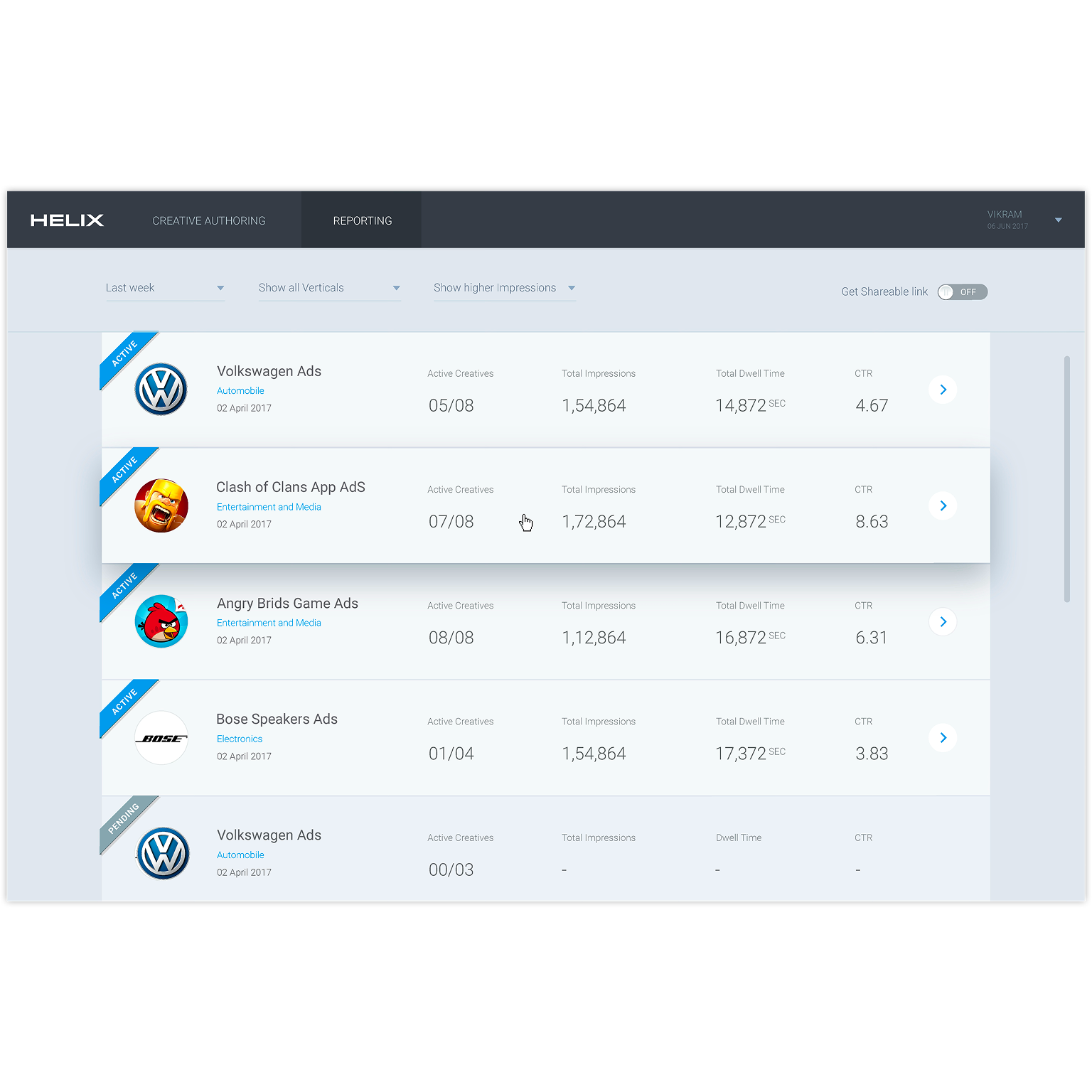
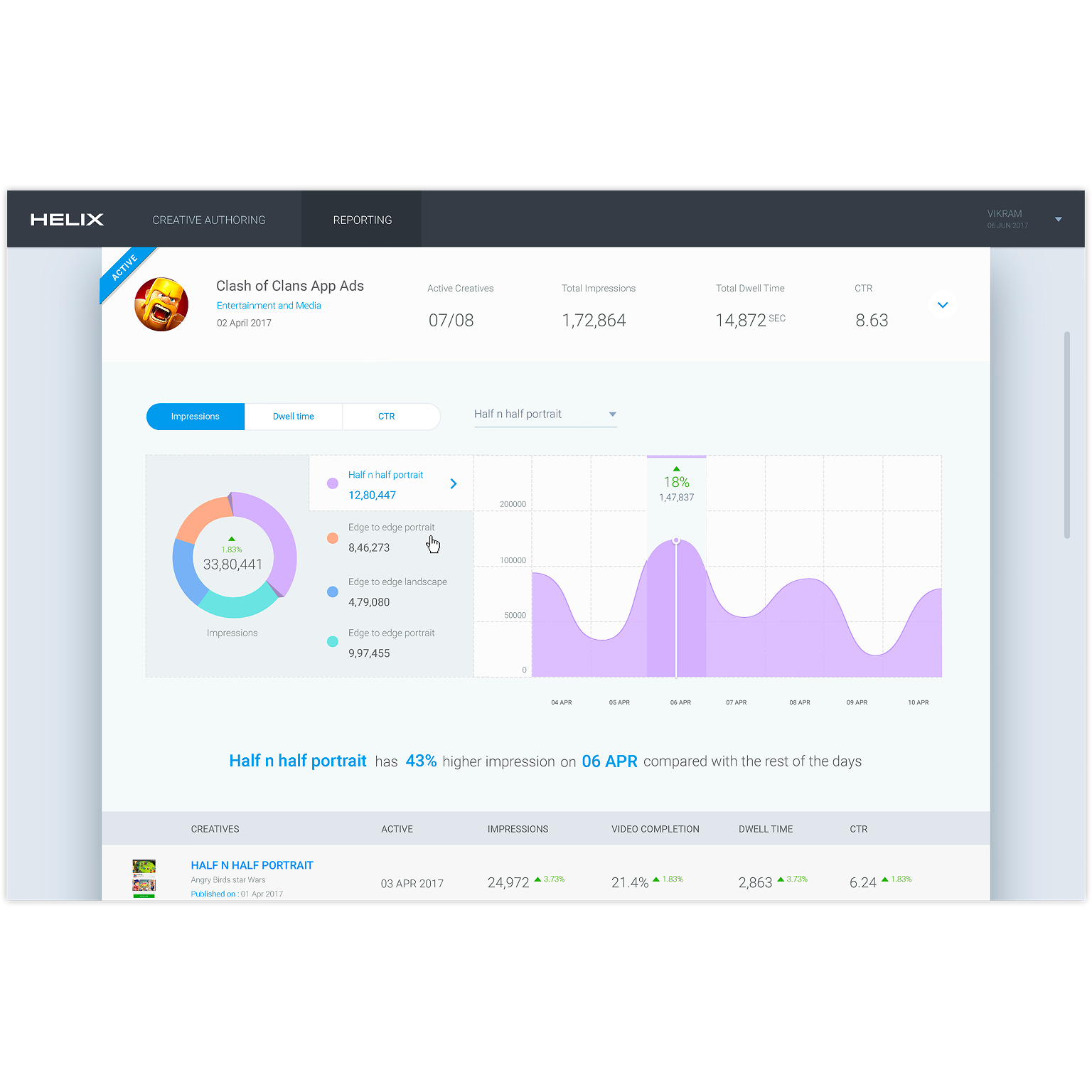
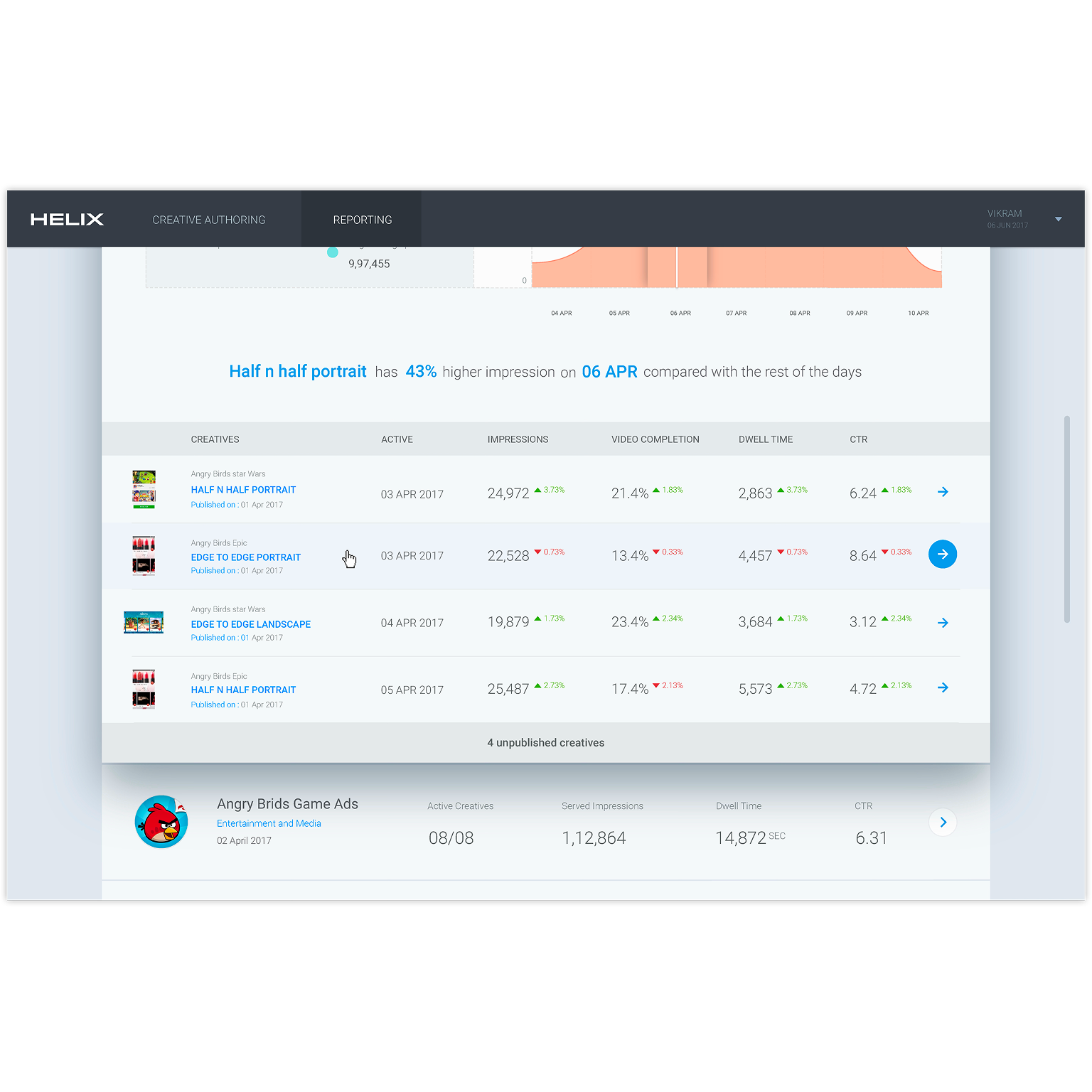
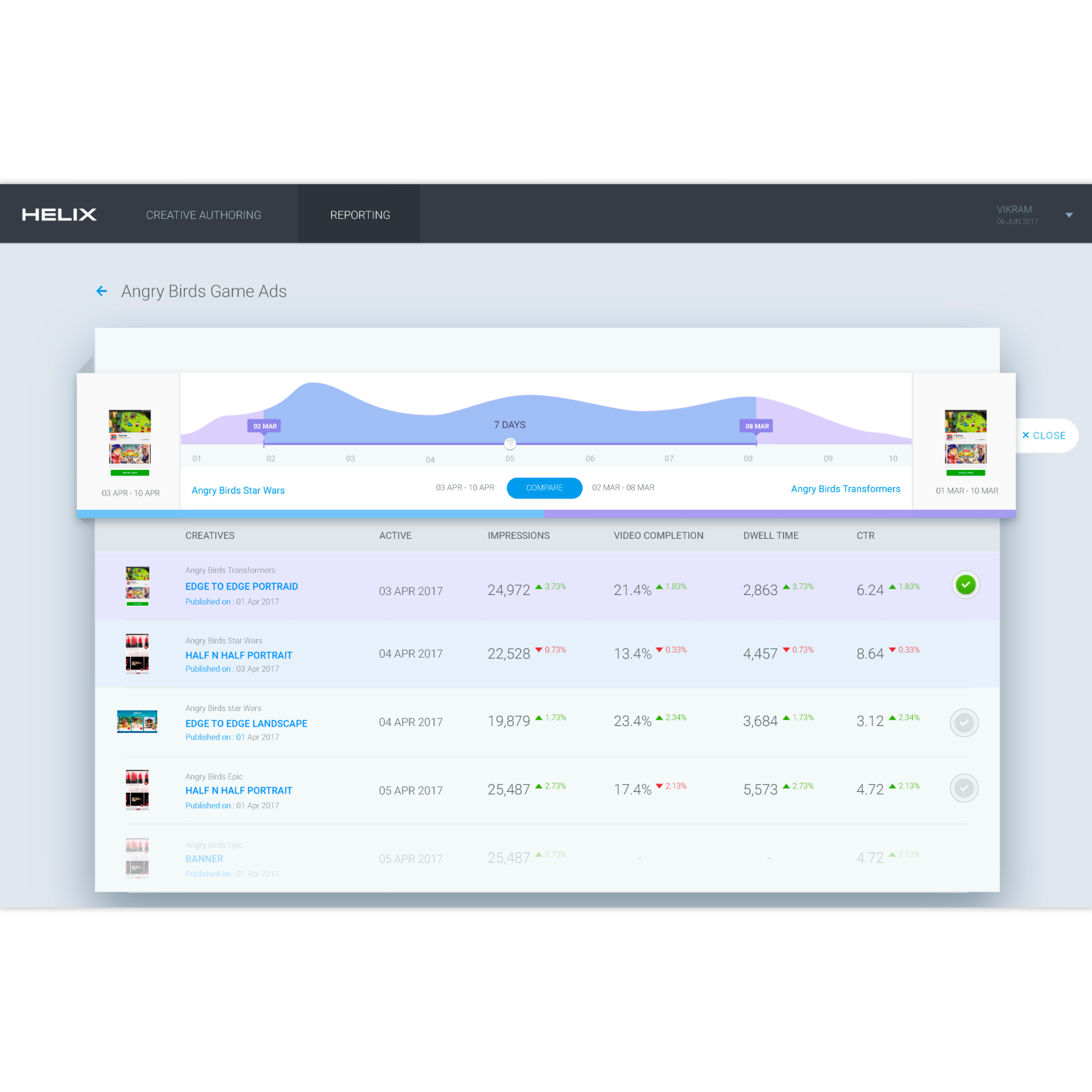
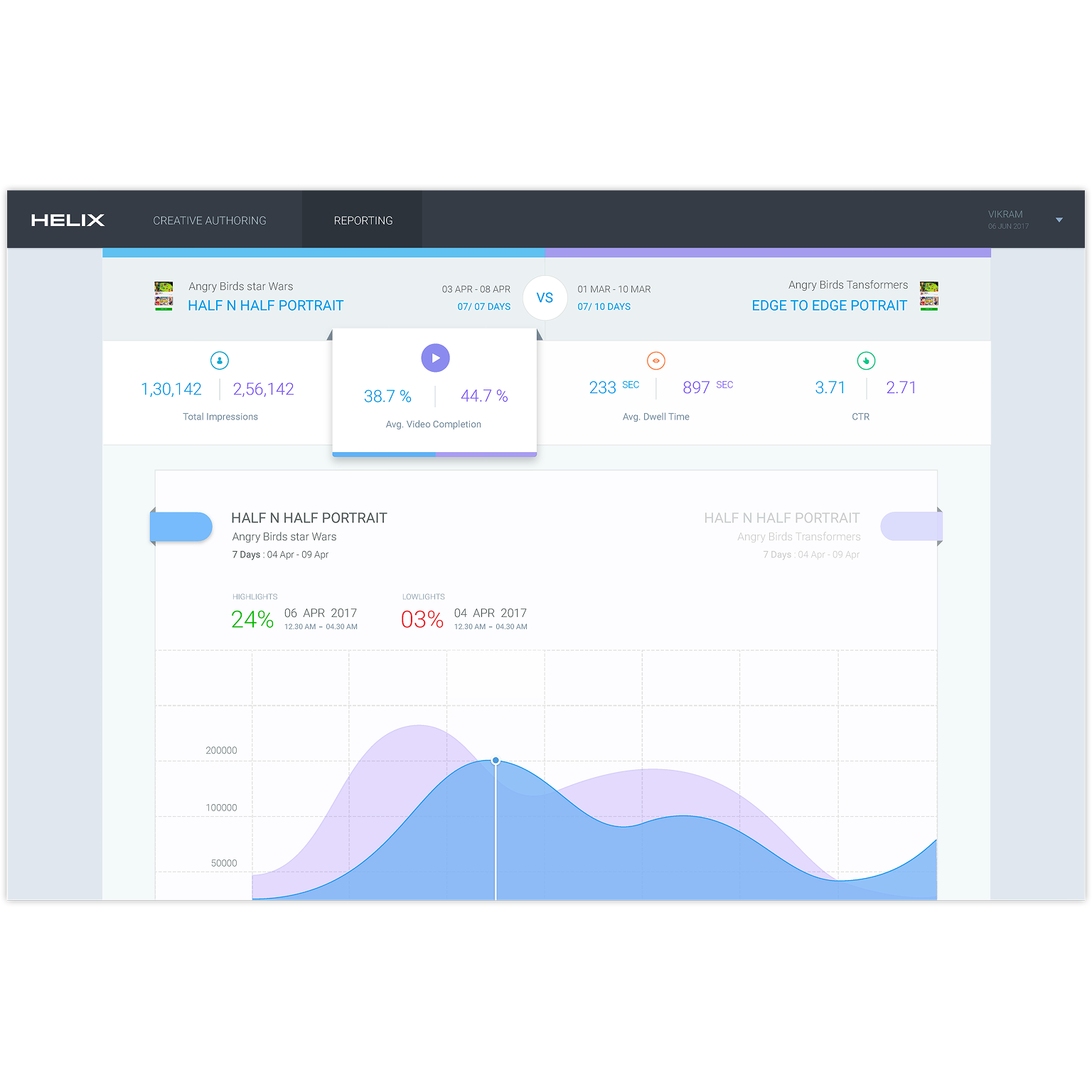
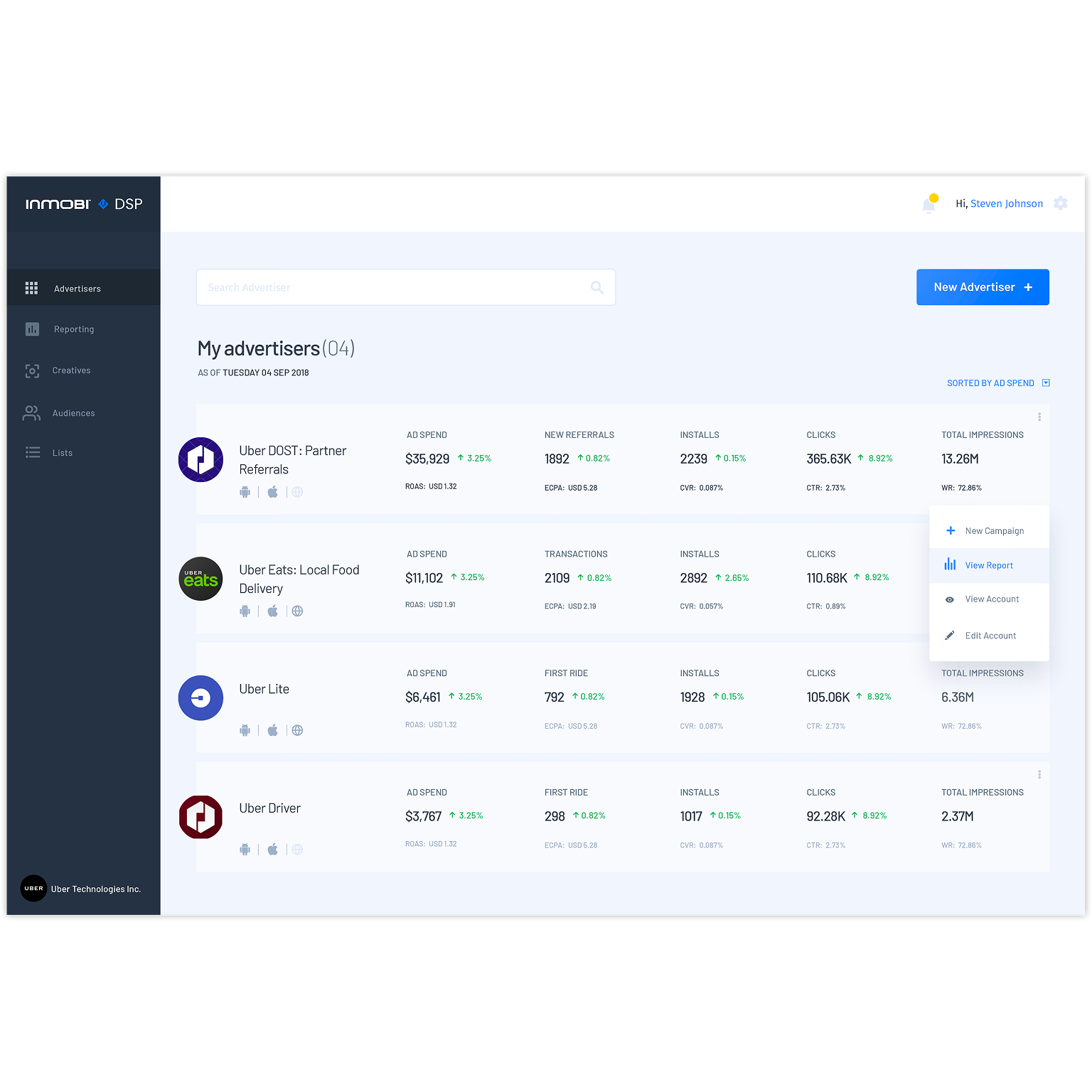
This tool simplifies AD campaign tracking and reporting, making performance insights easily accessible and shareable. The wireframes showcase a streamlined interface for quick metric analysis.
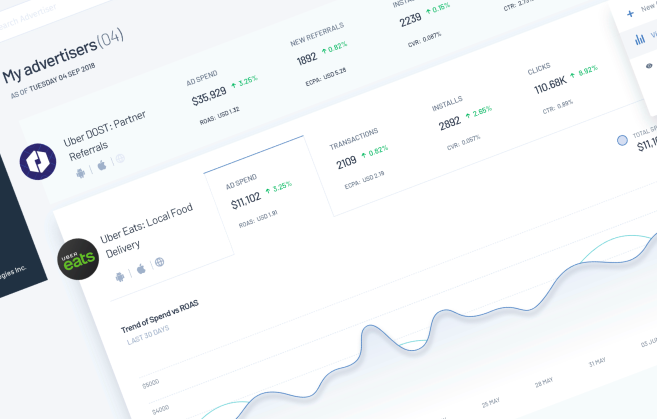
This project outlines a tool designed to streamline the tracking and reporting of AD campaign performance. The accompanying wireframes demonstrate how users can quickly access and share key performance metrics.
The core challenge lies in the inefficiency of the current process for managing and reporting AD campaign performance. Account managers face the burden of manually gathering analytics data and working closely with engineering teams to retrieve the necessary insights. Additionally, creative assets like images, videos, and logos are manually stored without any centralized system, which slows down the creation and publishing of AD creatives. The lack of streamlined tools also results in prolonged turnaround times, making the entire workflow cumbersome and less efficient.
The current process for managing AD campaigns is fraught with inefficiencies:
Fragmented Data Retrieval:
There’s no centralized tool to access analytical data, forcing account managers to manually consolidate requests and work with backend teams to extract performance metrics.
Disjointed Creative Processes:
AD creative assets such as images, videos, and logos are manually stored on local computers, with no system to manage or streamline access to these resources.
Inefficient Workflows:
The process of building and publishing AD creatives involves multiple handoffs—from account managers to engineering teams for template creation—resulting in extended turnaround times and increased operational costs.
These challenges hinder timely decision-making and add significant overhead to campaign management.
UX Goals and Thought Process:
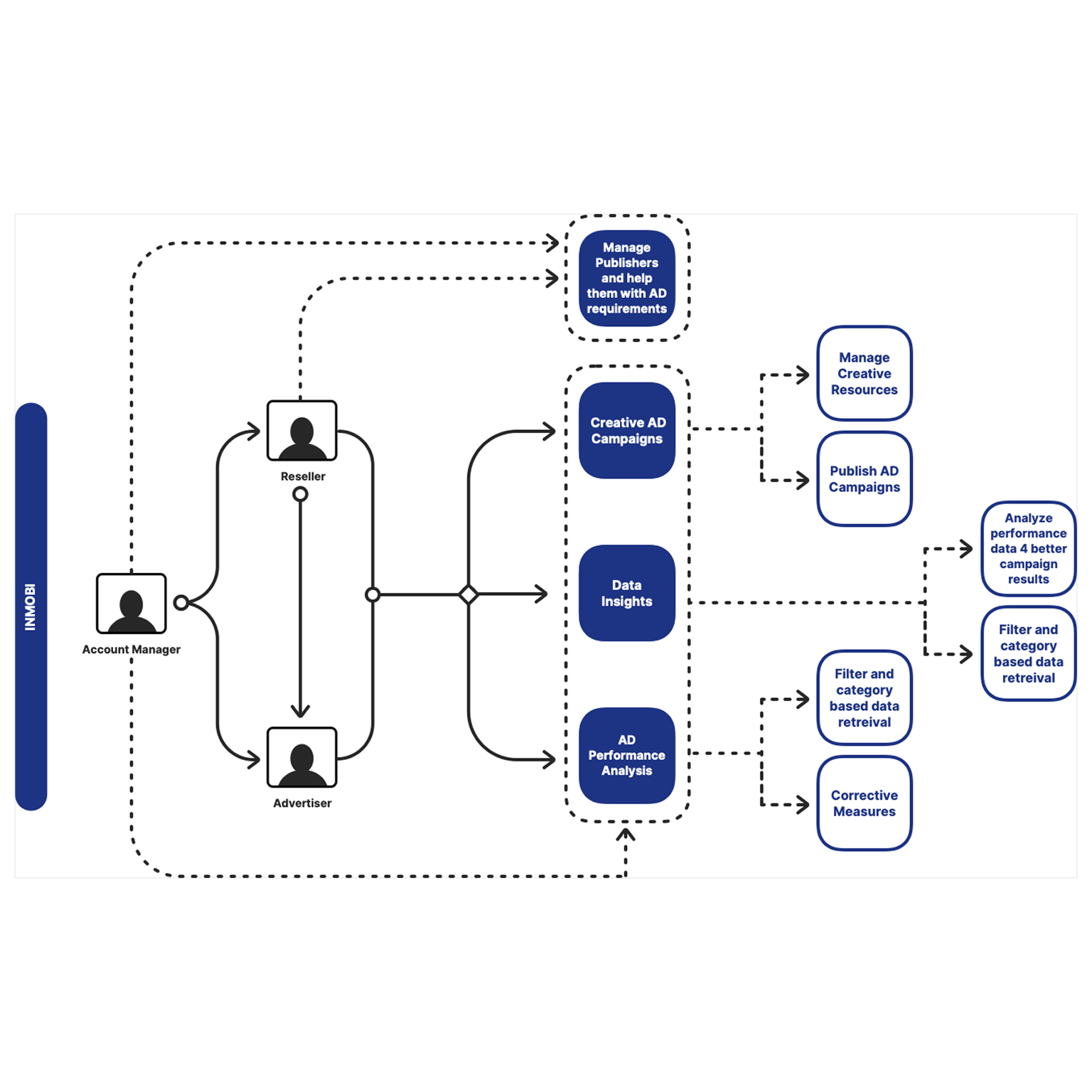
The UX goals and success metrics are designed to align the product with the right strategic direction. To develop an optimal workflow, I conducted in-depth research by closely observing account managers (AMs) over several days. This included shadowing their daily routines, analyzing how they performed and completed tasks, and participating in calls with resellers. By mapping their journey and identifying pain points, I was able to connect related tasks and uncover inefficiencies, ensuring that the proposed solution directly addresses their needs.
Thought Process
Before starting the design, a well-structured User Experience (UX) thought process ensures that the final product effectively addresses user needs and business goals. Here’s a structured approach:
1. Understanding the Problem Space
2. Defining User Personas & Journey
3. Establishing UX Goals
4. Information Architecture & Wireframing
5. Interaction & Usability Considerations
6. Testing & Iteration
This structured approach ensures the design is user-centered, solving real problems while optimizing efficiency and usability. Would you like a more tailored framework specific to your tool?
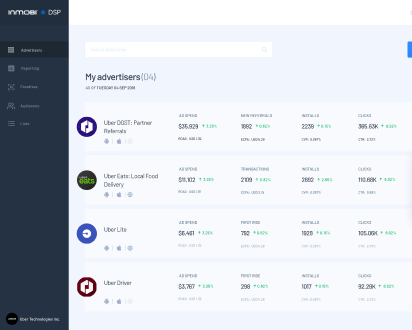
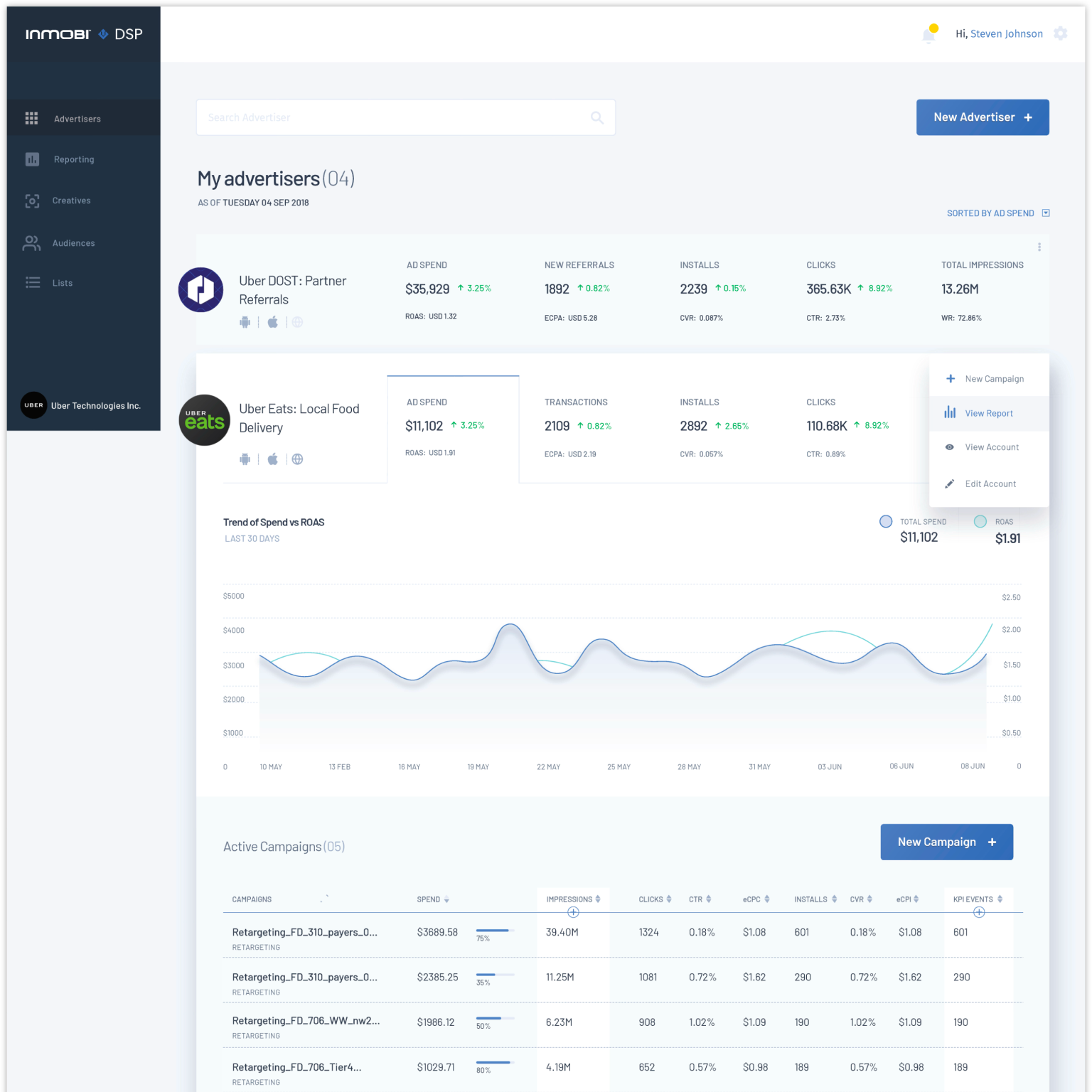

‘This tool has completely transformed our AD management process. By centralizing our analytics and creative assets, it’s slashed our manual workload and accelerated our campaign publishing. The real-time insights have been a game-changer for our strategic decisions.’
The design of the tool focuses on simplicity, efficiency, and user-centered functionality. It follows a streamlined, intuitive interface that minimizes complexity for account managers while offering powerful features
Note: The screens displayed here are not final visual designs. They are enhanced wireframes with colors and images, quickly created for a roadshow to give prospective clients a preview of what we are building for them.

A glimpse into my journey as a User Experience Designer, sharing my professional background, design philosophy, and the impact I’ve made across industries.
Copyrigt © 2025 MAUX - VIKRAM SUNDERRAJ